What a laptop sleeve does at airport security, and what it does not
A sleeve that opens flat is sold as a way through a checkpoint, and the claim needs unpacking. What TSA asks for in a standard lane, what changes with PreCheck, why the zip that opens to a hundred and eighty degrees matters for the thirty seconds at the bin and not for the officer, and what to do with the ice pack in the lunch carrier.
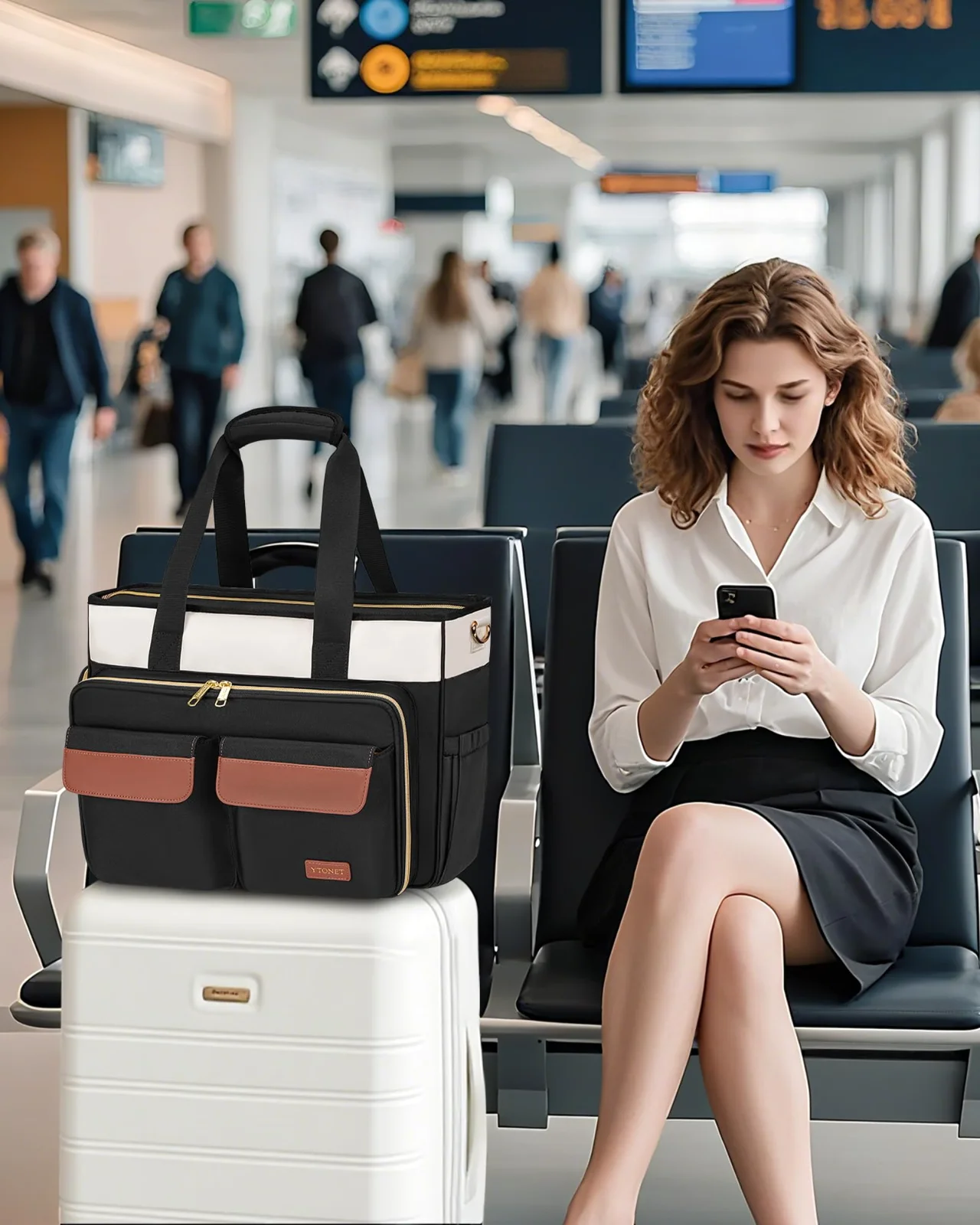
Thirty seconds at the bin
The queue behind you has moved two places. Your bag is on the belt, and the laptop is somewhere inside it. There are thirty seconds to find the zip, reach past a notebook, lift out the computer, and place it in its own bin before the next bag slides forward.
This is the small airport task a laptop sleeve changes. It does not change the screening rule. It changes the route your hand takes through the bigger bag.
A sleeve gives the laptop a defined place inside your rolling laptop bag, rolling backpack, teacher tote, briefcase, or gym backpack. You can open the larger bag, find the sleeve, and lift one contained piece instead of searching among loose items. That difference matters most when the belt is moving and the queue is close behind you.
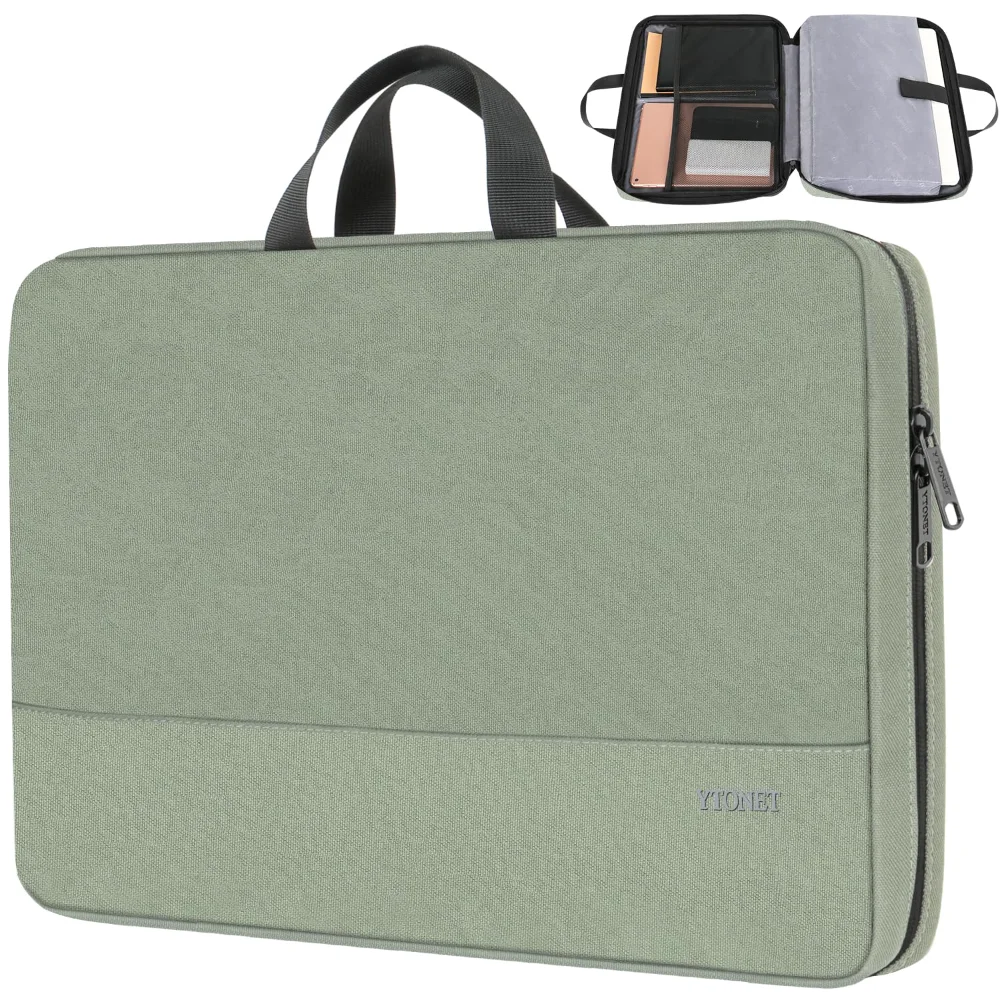
Our sleeves are made to ride inside a bigger bag. They have no shoulder strap. A top-edge handle gives you a way to lift the sleeve from that bigger bag and carry it across the short distance to the bin.
The outside mesh pocket holds a charger, so the cable can stay with the computer rather than disappearing into another compartment. The sleeve itself has a water-resistant nylon exterior, a soft lining, and foam on each face. Those features describe the case around the laptop. They do not describe the checkpoint.
At the bin, the sleeve is a way to organise the movement. It is not a pass through screening. Your laptop still follows the instruction for the lane you are using, and the officer still has the final decision.
What standard screening asks you to do
For standard screening, the TSA page on laptops says to remove the laptop from your bag and place it in a separate bin for X-ray. That is the part to remember when planning the thirty seconds at the belt.
The sleeve changes how fast you do that, not whether you do it. You open the larger bag, take hold of the sleeve, and remove the laptop from the sleeve before placing the laptop in its separate bin. The sleeve can then go through as part of the larger bag, or you can handle it according to the instructions in that lane.
A flat-opening design helps with the physical movement. The zip runs along the top and down both sides, allowing the sleeve to open to one hundred and eighty degrees. The laptop lifts straight out. There is no need to pull it through a narrow opening or tip the sleeve to one side.
The officer’s role remains separate from the sleeve’s role. The TSA page ends with a plain instruction: “The final decision rests with the TSA officer on whether an item is allowed through the checkpoint.” A sleeve cannot change that decision, and its shape does not create a separate screening category.
You may also see instructions change from one lane to the next. Follow the direction given at the checkpoint in front of you. Our job is to make the laptop easier to reach inside the bigger bag. Your job is to present it as requested.
That distinction keeps the sleeve useful without asking it to do something it cannot do.
What PreCheck changes, and what it does not
The TSA page says TSA PreCheck travellers do not need to remove laptops, shoes, 3-1-1 liquids, belts, or light jackets. For a traveller using that lane, the laptop can remain in the bigger bag when the lane’s instructions allow it.
The officer still decides. PreCheck does not remove the officer’s authority to inspect an item or ask for a different step. The same final decision applies at the checkpoint, even when the usual removal of the laptop is not required.
Inside your bigger bag, the sleeve still has one practical job. It is the thing the laptop lives in. That means the computer has a defined place among the other pieces you carry, whether the bag is a rolling laptop bag, rolling backpack, teacher tote, briefcase, or gym backpack.
A sleeve can also make a change of instruction easier to manage. If an officer asks you to remove the laptop, you know where to reach. If the laptop remains inside, the sleeve keeps it separate from chargers, papers, clothing, or other items in the larger compartment.
The difference is not a special property granted by the sleeve. It comes from the lane and the instructions for that lane. We do not describe a sleeve as approved for a checkpoint, and we do not say it lets every laptop stay inside every bag.
That wording matters because screening can include an individual decision. Your sleeve remains a case, not a screening credential. PreCheck changes the usual process for eligible travellers in that programme. It does not change what the sleeve is or give it authority over the lane.
Why the zip opens flat
A sleeve that opens like an envelope usually asks for a short sequence. You open the flap, angle the laptop towards the opening, and pull it out. The shape of the opening controls the movement.
Our zip runs along the top and down both sides. Opened fully, the sleeve lies flat to one hundred and eighty degrees. You open the zip, lift the laptop straight out, and place it in the separate bin when standard screening asks for that step.
That is one movement after the zip is open. The laptop does not need to be turned through a narrow mouth or drawn along an angled edge. A flat opening also gives you a clear view of the laptop before you lift it, which can help when several items are moving around the belt.
Foam sits on each face of the sleeve. On the belt, that creates a layer between the laptop and the surrounding surfaces of the case. The soft lining is the surface against the laptop, while the nylon forms the outside of the sleeve. These materials stay with the laptop as you lift it in and out of the bigger bag.
The point is not to make a claim about the checkpoint itself. Bins slide, bags move, and instructions take priority. The sleeve gives the laptop a contained shape that you can handle without opening several compartments.
A mesh pocket on the outside holds the charger. Keeping that cable with the sleeve can reduce the small search that follows when you need to reconnect everything. The top handle gives you another place to hold the sleeve once it is outside the bigger bag.
Choosing a size that opens properly
Start with the laptop’s named screen size. Our sleeves come in four sizes, cut for 13.3, 14, 16, and 17.3-inch laptops. A 15.6-inch laptop goes in the 16-inch sleeve.
If the laptop has a case around it, measure the laptop with that case in place and take the larger sleeve when the two sizes leave no comfortable room. The sleeve needs to close. It also needs to let the laptop lift out without being dragged against the opening.
A sleeve that is tight does not close. A sleeve that is loose lets the laptop slide inside it. The aim is a fit that holds the laptop in its own space while still allowing the zip to run around the top and both sides.
| Sleeve size | Laptops it takes |
|---|---|
| 13.3-inch | 13.3-inch laptops |
| 14-inch | 14-inch laptops |
| 16-inch | 15.6-inch and 16-inch laptops |
| 17.3-inch | 17.3-inch laptops |
Our 13.3-inch sleeve measures 13.4 by 10 by 1.8 inches. The 16-inch sleeve measures 15.7 by 11.2 by 2 inches. Those measurements describe the sleeve, not a promise that every laptop with the same screen label has identical outer dimensions.
Screen size is measured diagonally from one corner to the opposite corner, but the outer shape can vary between laptops. A case adds more room to the combination you need to carry. Check the laptop and case together before choosing the sleeve.
The right size makes the flat-opening design useful. With the zip open, the laptop can lift straight out instead of catching on a tight edge.
Lunch carriers, gel packs, and the lane
A lunch carrier can travel in the same larger bag as a laptop sleeve, but its contents follow their own screening rules. Our teacher bag has a detachable insulated lunch carrier. The teacher tote has an insulated pocket, and the tennis backpack has an insulated front pocket.
The TSA page on gel ice packs says a gel pack may go through in a carry-on if it is frozen solid when presented for screening. If it is partially melted, slushy, or has liquid at the bottom, it must meet the 3-1-1 liquids rule. That means a container of 3.4 ounces or 100 millilitres or less, placed in one quart-size bag.
This distinction applies to the ice pack, not to the laptop sleeve. A laptop sleeve does not change the state of a gel pack, and an insulated lunch carrier does not remove the screening instruction.
The same TSA page gives an exception for medically necessary gel packs in reasonable quantities. Those packs are allowed in any state, and the traveller should tell the officer. The officer decides.
At the lane, keep the lunch carrier and the sleeve easy to reach if an officer asks to see either one. The teacher bag’s carrier can detach, while the teacher tote and tennis backpack keep their insulated spaces within the larger bag. In each case, the bag helps you carry the pieces. It does not decide how they are screened.
A frozen pack is one condition. A slushy pack is another. If the pack does not meet the stated condition for the lane, follow the liquid rule or explain the medical need to the officer.
At the gate, the sleeve comes with you
A gate-checked bag creates a different moment. The Federal Aviation Administration says that if a bag is gate-checked, spare batteries and lithium-battery devices such as laptops and power banks should come out and stay in the cabin.
That instruction puts the laptop back in your hands. The sleeve is what you carry it in when it does. You can remove the sleeve from the bigger bag before handing that bag over, then hold the sleeve by its top handle while you continue into the cabin.
The laptop remains inside the sleeve while you carry it, unless an officer or crew member gives you another instruction. The sleeve has foam on each face, a soft lining, and a water-resistant nylon exterior. Its job is to remain around the laptop as a case, separate from the bigger bag that has gone to the gate.
A charger can stay in the outside mesh pocket of the sleeve, giving you one place for the cable while the larger bag is elsewhere. The sleeve has no shoulder strap, so you carry it by the top handle or place it inside another cabin bag when that is practical.
That is the honest limit of the whole thing. The sleeve is a case. The lane is the lane.
It cannot keep a laptop inside a bag when standard screening asks for removal. It cannot make a gel pack meet a liquid rule. It cannot decide whether an item is allowed through, and it cannot replace the instruction to remove a laptop from a gate-checked bag.
What it can do is keep the laptop in a defined place before, during, and after that instruction. You handle the sleeve. The checkpoint remains the checkpoint.
More of this sort of thing is in the Journal, the YTONET desk keeps the whole range one click away on the front page, and the sources behind every checkpoint and carry-on statement are listed on how we update the catalogue.